Fast forward a few years to the end of Grammar School, which for me was my 6th grade year and in a different school. Moving between the 5th and 6th grades is not recommended. I really hated to write, and I was just clumsy. I was defiant. I took the zero on that 3rd grade story, and began my downward slide in the field of spelling. Writing was no longer fun. It was a chore. Writing a final draft of an essay or a paper with a ball point pen and a bottle of white out is tedious, if nothing else.
If I could only use a typewriter, it might help take some of the pain out of the task. I even got the task of typing up the program for a 6th grade play. I was given three ditto-masters, which did not allow the use of white-out. I goofed up the first one badly, and this was after typing a corrected draft to work from. The ancient IBM Selectric that Mom had was an awesome machine, and it was like firing a gun every time you pressed a key.
It took a long time for me to re-embrace words, and the whirring of that Selectric was became hypnotic. Every time I sit in front of a keyboard, that whirring becomes the sound of the engine in my brain that spins out words. I got exposed
Video Display Terminals in Junior High though a special after-school program, and learned a bit of BASIC in the 7th grade.
I quickly learned where the backspace key was. The ability to correct a mistake told me exactly one thing: paper is for artists and printers, not typing on with a typewriter. The backspace key — called Rub Out on some terminals — quickly became my favorite key. Aside from the space bar, it was the only key that I knew the exact placement of. Later, the ability to backup, insert, remove, copy, paste, etc., all re-enforced my silly notion that composing at a keyboard was more efficient and effective than using pencil, paper, typewriter, etc.
Getting to High School and into the computer programming class a year early as a Freshman, my time-on-keyboard began to increase, as did my skill at pounding the correct keys on a QWERTY keyboard. The special keys still made me look down, but I was quickly learning the finger patterns that correspond to the keywords of the Applesoft BASIC language. It was somewhere along the time when I was writing tons of code in BASIC and my teacher came along with a barbed compliment in the form of a five point deduction on a working piece of code.
"You can solve lots of problems with code, but you've got to give accurate instructions. Spelling matters."
I began to work on tools that would let me take my programs and stuff them through a spell checker. It was not easy, but I made it happen using Applesoft and disk I/O. I came up with a way to spell check my code. I figured that if I could get close, well, I should get a chance to correct it, and I did, but it was extra work. Punctuation was another matter entirely, and over the years, I've had to work to get it up to par. I edit out way too many comma-splices, but that's what a dynamic editor is for.
I got through College on a copy of WordPerfect if I remember correctly. I even re-used my old Epson FX-80 from my Apple //e. Where a current laser printer could print several pages per minute, the FX-80 ran for several minutes per page, so finding a typographical error on a document that takes so painfully long to render, helps make you be a slightly better proof reader on the screen.
Of course, I have a standard office mini-tower machine at work now, and I use other regular size computers once in a while, but the bulk of my key pounding is on a portable computer of one kind or another. Having been slapping the backspace key for three quarters of my life, I've gotten used to learning a different keyboard now and again. You are truly best-off if you don't get frustrated easily and take a good look. It can take up to two weeks for me to get really familiar and up to speed on a new keyboard.
Because I use portable machines allot, I tend to favor the short-throw scissor mechanism that is found in quality laptops. Full size is a big plus, and is not to be underrated. Because I play Final Fantasy XI, on Consoles, Laptops and Computers, I've acquired a number of keyboards that litter my living room, and accompany me on travel as a backup, just in case. Go ahead an laugh, but a serious rider has his own saddle, and I have my own keyboard.
When it comes to work, I still use a full size, monster keyboard with a throw so long you can almost get your fingers permanently wedged between the keys. While not my idea of a good time, I usually limit my interaction on these junkers to running diagnostic tests, etc. I'm not planning to write a book on a junker, just run a machine now and again. When I am done, I toss said junker keyboard underneath my lab bench until I need it again. Somehow, when you're getting paid, things are a little different.
The How of Writing includes not only the physical act of writing, but the placement of words on the page, or on display. With varying tab widths, and little need to worry about the cost of paper, the indent to begin a paragraph has been largely replaced by a line break. This gives an electronic composition an almost road-stripe appearance when you look at the forest and not the trees. More white space means more time to think, and in an e-mail, the presence of additional white space invites the reader to read even more "between the lines." It is for this reason that I struggle to keep the single line of white space, and treat it as a punctuation mark.
Like a comma, white space influences the cadence of the reading experience. I've never been a speed reader, but I am sure that you need to pay attention to punctuation, and sometimes, you need a clue to slow down and spend an extra moment. In the case of extra space between paragraphs, it gives the reader an opportunity to reflect or briefly create a new realm or context of consideration, such as a comment or an inset quote that requires special attention. The block formatting of text helps when display widths are uncertain, or there is a difference between the width of the entry window and display window.
It was during the update of this entry that I encountered and unfortunate error that lost some inspired work. While it may have been possible to recover the work, I did not record the error code, and when I pressed the back button, the text in the entry window reverted to when I originally opened it. Navigating forward to get the error code did not work, and I got a page expired error. Talk about a blogging experience? Here it is live and real. How will I prevent it? It's called WordPad folks. It was included in Windows XP, and it is a Rich Text editor just like the blogger post entry window, so I should have little difficulty with a cut an paste operation.
By using a simple external editor, you can save yourself the loss of a hour or more of precious work, if you are doing the written-word thing. It might be worse when I go forward with experiments and other techniques, we shall see. Like I did in the past, I will now be moving work from one realm to another to accomplish the spell check. I'm such a spell-check addict, that if spell check were a pay-per-use on some editor in the cloud, I would go broke or learn to spell better really quick. To protect myself from going broke, I claimed the idea beforehand in the original post. Is it a coincidence that my original recording of the idea of pay-per-use spell check was swallowed by Google? Time will tell. I made a timestamped file right after the event with the idea, so I'm covered. I am sure that I can subpoena the records if necessary. There were many successful saves in the session, and I have confidence that there is plenty of storage space at Google for the log file with every differential update.
This is the first data loss that I have encountered in the three months since I started using Blogger. The only other problem that I encountered has been with the hard-return expansion setting. I never came to peace with that setting, and every time I open a draft for re-editing, I have to take out all of the line breaks. This is not a problem for my short update daily blog, which is designed to be a minimum of one full window, if slightly more. It works out to about 250 words. This blog is a different story, and it is more than annoying to have to collapse the paragraphs every time.
I am sure that I am in for a new set of problems using WordPad. You probably have other solutions, perhaps even using a full-blown publishing application to crank out html code that you just post via direct update, and you'd never consider using the editor provided for fear of the unknown or some other equally valid reason. I just know I got burned and I don't like the feeling at all, and it's all part of the blogging experience. I'll write more as I try the copy-paste method of using the spell check in the still open Blogger window, after I finish re-recording the lost keystrokes.
This brings to mind the experience I had when working on a term paper in High School. Having finished the paper at a friend's house, and writing a tidy summation and nice ending, I leaned back in satisfaction and stretched. My foot hit the power switch on the power strip, and I had not saved the file to the floppy. Then, like now, I am recovering. The only loss event that I can compare to these are the disappearance of five years of outbound e-mail at work. 95% of what I said survives in the form of reply messages or carbon copies as my reply filters through the chain of command, so it's fairly recoverable. In this most recent case, we all benefit from my unfortunate experience.
Regardless of the media you present on your blog, a general format or structure for updates can be helpful. I just did what I normally do when confronted with a subject and message box, I started writing like it was an e-mail in an existing conversation that did not need an address. I also leave the title blank until the end, at least on my fictional blog. This blog is a bit more directed, and as you have guessed, you can expect to see all five H's and I think you already got the W. For now, the title is coming first, and I am apt to shuffle the order due to the importance of the new information contained herein.
I admitted earlier that I like to work ahead, and since this is a new project, I am going forward to get the pipeline filled. This is the reason that the data loss was only a minor annoyance. While it is a rarity, it does happen, so please be prepared, and used the appropriate tool for the job you are doing. It's always good to have a backup, and every minute of good writing time is valuable. In the case of writing these long format updates, the use of an external editor is a good choice, I still like the immediacy of the regular post editor, and the fact that the cloud can support publishing applications through a standard browser. The internal editor is also adequate for minor edits and spell check, but be sure to take the edits back to your external editor before you save.
For the record, the paste operation into the Blogger editor box worked as expected, and what was displayed with the line breaks in WordPad was displayed in the online Old Editor with no breaks between paragraphs. This paragraph is going in via the Editor, just to tempt fate. An autosave occurred 1 minute ago. It brings up a missing comment, that if I were to go from Blog to Book, I would insist on the paper saving re-formatting of the single blank line to an indented paragraph. I am sure a professional editor would agree.
The paste-back for the save did not work exactly as expected the first time, but using WordPad as an external editor will work if you remember that WordPad uses the line break as a paragraph indicator, and that you have to add an extra one if you want it to show up on the blog. If you do this, it appears when you paste it in, and it is stable going though the normal draft process. As long as you do not add more paragraphs, you will not affect the spacing. Do the paragraph adding in WordPad, and fix the innards in the internal editor. Rough cut and polish. The cycle of writing.
The tools available today are useful and effective, allowing a myriad of expression types to blossom and flourish. For those that can and do read the manuals for their gear, and experiment with all of the settings and adjustments to expand the creative palate, there is an infinite canvas of expression and communication, with the potential for synergistic growth to be explored and populated. How you adapt your skills and bring you own brand of blog to the world is your gift. Explore it. Express it.


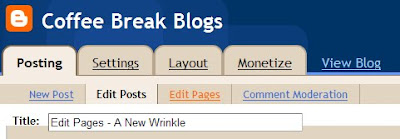


 This time, I selected the left formatting option. This time too, the image did not upload at the expected cursor position, so I had to drag it down to where I wanted it to be. Uploading the image activated the spacing bug again, so I've decided to call this part 1 of 2 (or more parts) and give you more details in the next post.